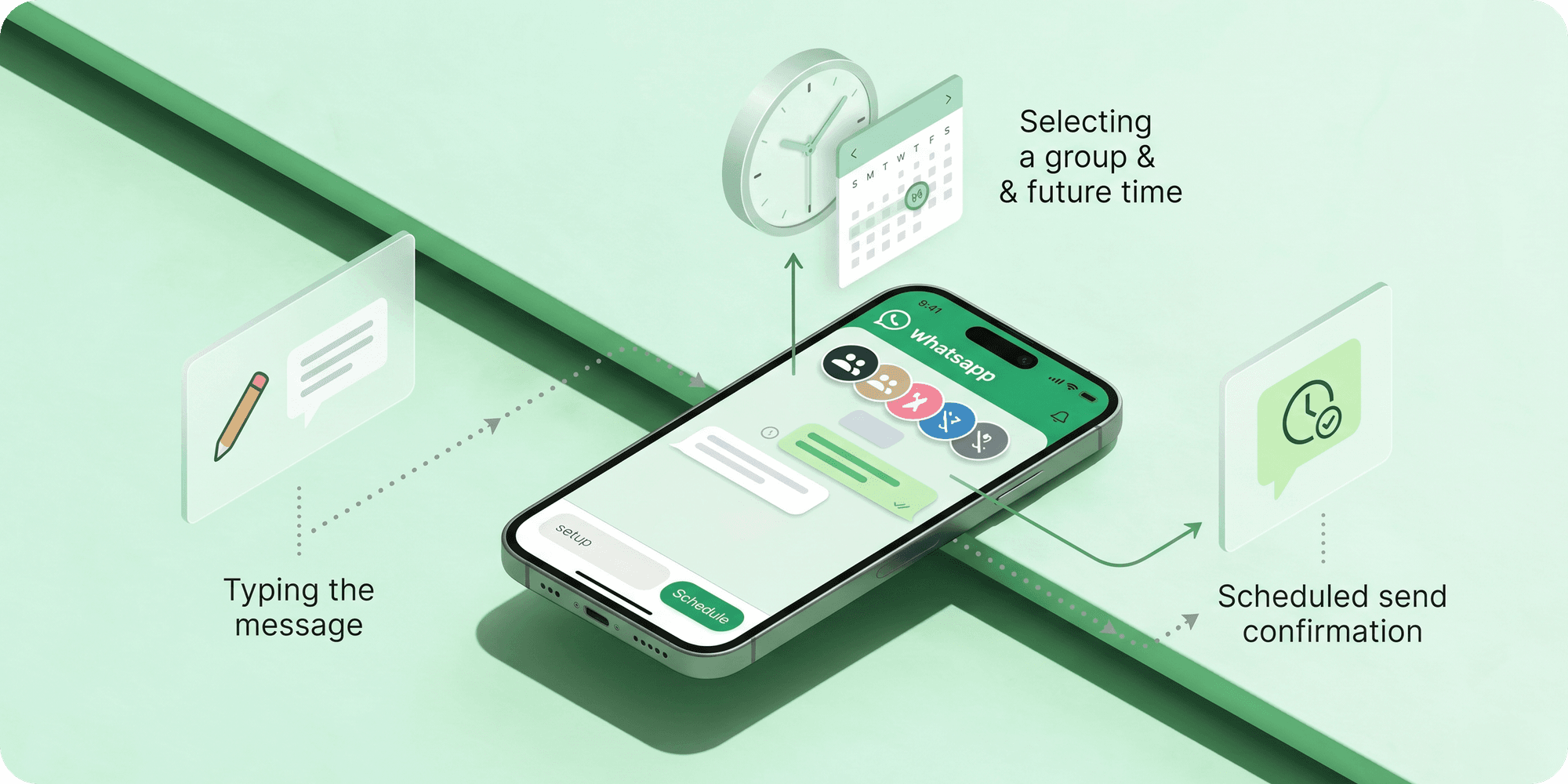
WhatsApp groups have become a central place for team communication, family coordination, community updates, event planning, and business announcements. But managing active groups manually can quickly become overwhelming, especially when messages need to be sent at the right time.
That’s why many users now schedule WhatsApp group messages in advance instead of posting updates manually every time. Whether it’s a work reminder, class update, event announcement, weekly check-in, or community notification, scheduled group messaging helps keep communication more organised and consistent.
In this guide, we’ll explain how to schedule WhatsApp messages to a group, how group message scheduling works, and the easiest ways to automate WhatsApp group communication in 2026.
Can You Schedule Messages to a WhatsApp Group?
Yes, WhatsApp group messages can be scheduled using WhatsApp scheduling tools, browser extensions, and automation features that support timed message delivery.
While WhatsApp itself still has limited built-in scheduling support for regular group chats, many users automate group messages to avoid manually posting reminders, announcements, updates, or recurring communication every time.
Scheduled WhatsApp group messaging is commonly used for team updates, community announcements, work reminders, event coordination, class notifications, and recurring group communication that needs to be delivered at a specific time.
Why People Schedule WhatsApp Group Messages
Managing active WhatsApp groups manually can become difficult when updates, reminders, announcements, or recurring messages need to be posted consistently at the right time.
Scheduling WhatsApp group messages helps users plan communication in advance instead of depending on manual posting every day. This is especially useful for teams, businesses, communities, schools, event organisers, and users handling multiple WhatsApp groups simultaneously.
By automating group communication, users can keep conversations more organised, reduce missed updates, and ensure important announcements reach group members on time.
How to Schedule WhatsApp Messages to a Group
Scheduling WhatsApp group messages helps automate announcements, reminders, updates, and recurring communication without needing to manually post messages every time.
Most users schedule WhatsApp group messages using browser extensions, scheduling tools, or automation apps that support WhatsApp Web and timed message delivery.
1. Install a WhatsApp Scheduling Tool
Start by installing a WhatsApp scheduling app or browser extension that supports group message automation and scheduled delivery features.
2. Open WhatsApp or WhatsApp Web
After installing the scheduling tool, open WhatsApp or WhatsApp Web and make sure your account is connected properly. Most scheduling extensions work directly alongside your existing WhatsApp conversations and group chats.
3. Select the WhatsApp Group
Open the WhatsApp group where you want the scheduled message to be delivered. This can be a work group, community group, class group, event group, customer group, or any conversation that requires planned communication.
4. Write the Group Message
Type the message you want to schedule for the group. This can include announcements, reminders, meeting updates, event notifications, weekly check-ins, community updates, or any message that needs to reach all group members at a specific time.
5. Choose the Date and Time
Select the exact date and delivery time for the group message. Many users schedule group announcements before meetings, class sessions, events, work hours, or recurring community updates to ensure the message reaches everyone at the right moment.
6. Schedule the Group Message
Once everything is ready, confirm the schedule and save the message. The WhatsApp group message will automatically be delivered at the selected time without needing manual posting or follow-up.
Common Uses for Scheduled WhatsApp Group Messages
Scheduled WhatsApp group messages are commonly used when important updates, reminders, or announcements need to reach multiple people at the right time without manual posting.
Some of the most common uses include:
- Team updates and work announcements
- Class reminders and student notifications
- Event coordination and schedule updates
- Community announcements and group notices
- Weekly check-ins and recurring reminders
- Meeting reminders and attendance updates
- Customer group communication
- Organisational and volunteer group updates
For active WhatsApp groups, scheduling messages helps reduce manual effort while keeping communication more organised, timely, and consistent.
Benefits of Scheduling WhatsApp Group Messages
1. Keeps Group Communication More Organised
Scheduling group messages helps manage announcements, reminders, updates, and recurring communication more efficiently without depending on manual posting every time.
2. Ensures Messages Reach Members on Time
Important updates can be delivered at the exact moment they are needed, especially for meetings, events, classes, work schedules, and community announcements.
3. Reduces Manual Effort for Admins
Group admins and organisers can plan communication in advance instead of repeatedly sending reminders or updates manually throughout the day.
4. Helps Maintain Consistent Group Activity
Scheduled messaging keeps WhatsApp groups active and updated regularly, especially for communities, teams, businesses, and recurring group communication.
5. Useful for Large or Active Groups
Managing multiple WhatsApp groups becomes easier when recurring reminders, announcements, and notifications can be automated ahead of time.
Is Scheduling WhatsApp Group Messages Safe?
Yes, scheduling WhatsApp group messages is generally safe when using reliable scheduling tools designed for regular communication, reminders, and organised group messaging.
Many group admins, businesses, teachers, communities, and teams use scheduled group messages to automate announcements and recurring updates without manually posting messages every time.
The safest approach is to use trusted scheduling solutions that focus on responsible communication rather than spam or mass messaging automation.
Before using any scheduling tool, it’s recommended to:
- Check reviews and credibility
- Understand the permissions being requested
- Avoid spam-focused automation tools
- Use scheduling mainly for legitimate group communication
When used responsibly, scheduled WhatsApp group messaging can be a practical and safe way to manage group communication more efficiently.
Why Users Choose Send Later for WhatsApp Group Scheduling
Send Later helps users manage WhatsApp group communication more efficiently by allowing announcements, reminders, updates, and recurring messages to be planned ahead of time instead of being posted manually.
For active groups, this becomes especially useful when admins need to send messages consistently across work groups, communities, classes, events, customer groups, or team conversations without missing important updates.
By scheduling group messages in advance, users can keep WhatsApp groups more organised, reduce repetitive manual posting, and ensure important communication reaches members at the intended time.
Final Thoughts
Scheduling WhatsApp messages to a group can make group communication far more organised, consistent, and easier to manage, especially for reminders, announcements, updates, and recurring conversations.
Instead of manually posting messages every time, scheduled group messaging allows admins, teams, communities, and businesses to plan communication ahead and ensure important updates reach members at the right moment.
As WhatsApp group communication continues to grow across personal, educational, and professional use, scheduling tools are becoming a practical way to simplify ongoing group management and reduce repetitive manual effort.
Frequently Asked Questions
Can I schedule messages in a WhatsApp group?
Yes, WhatsApp group messages can be scheduled using scheduling tools, browser extensions, and automation apps that support timed group message delivery.
Can scheduled group messages be sent automatically?
Yes, once the schedule is configured, the group message is automatically delivered at the selected date and time without manual posting.
Can I schedule WhatsApp group messages for free?
Yes, many WhatsApp scheduling tools offer free features for scheduling group announcements, reminders, updates, and recurring messages.
Can I schedule WhatsApp group messages on WhatsApp Web?
Yes, many users schedule WhatsApp group messages directly through WhatsApp Web using browser extensions that support group message automation and timed delivery.